
Home security technology has evolved dramatically over the past decade, and smart locks represent one of the most significant advancements in residential protection. For Powell, Tennessee homeowners, upgrading to a smart lock system offers convenience, enhanced security, and peace of mind. Whether you're tired of fumbling for keys in your grocery bags or concerned about who has access to your home, smart lock technology provides solutions that traditional locks simply cannot match.
At Powell TN Locksmiths, we've installed hundreds of smart lock systems throughout the Powell area, and we've seen firsthand how this technology transforms the way families secure their homes. This comprehensive guide will walk you through everything you need to know about smart lock installation, from understanding the different types available to choosing the right system for your specific needs.
What Are Smart Locks and How Do They Work?
Smart locks are electronic locking systems that allow you to secure and access your home without traditional metal keys. Instead, they use various authentication methods including smartphone apps, keypads, fingerprint scanners, or key fobs to grant entry. These devices connect to your home's Wi-Fi network or use Bluetooth technology, enabling remote control and monitoring capabilities.
The basic operation involves an electronic mechanism that replaces or augments your existing deadbolt. When you input the correct credentials—whether that's a code, fingerprint, or smartphone command—the lock's motor engages to unlock your door. Many smart locks also integrate with home automation systems like Amazon Alexa, Google Home, or Apple HomeKit, allowing voice control and seamless integration with your existing smart home ecosystem.
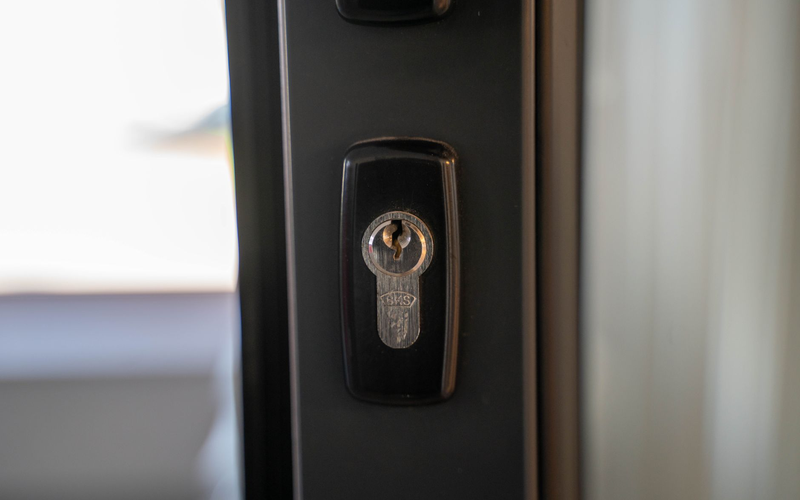
What makes smart locks particularly valuable for Powell residents is their ability to provide access logs. You'll know exactly when someone enters or exits your home, which is especially useful for families with teenagers, elderly relatives, or service providers who need occasional access.
Types of Smart Locks Available
Keypad Smart Locks
Keypad smart locks are among the most popular options for homeowners making their first venture into smart home security. These systems feature a numeric touchpad where users enter a code to unlock the door. Many models allow you to create multiple codes for different family members, temporary codes for guests, and one-time codes for service providers.
The advantages of keypad locks include ease of use, no smartphone required for basic operation, and the ability to quickly change codes if security is compromised. They're particularly practical for families with children who might not yet have smartphones but need reliable home access.
Bluetooth-Enabled Smart Locks
Bluetooth smart locks communicate directly with your smartphone when you're within range, typically 30-40 feet. These locks offer the convenience of automatic unlocking as you approach your door with your phone in your pocket. They're energy-efficient since they don't require constant Wi-Fi connection, which can extend battery life significantly.
The main limitation is that Bluetooth locks don't offer remote access from distant locations unless paired with a Wi-Fi bridge or hub. However, for homeowners primarily interested in keyless entry rather than remote monitoring, Bluetooth locks provide an excellent balance of functionality and simplicity.
Wi-Fi Connected Smart Locks
Wi-Fi smart locks connect directly to your home network, eliminating the need for additional hubs or bridges. These systems offer the most comprehensive features, including remote locking and unlocking from anywhere in the world, real-time notifications, and detailed access logs accessible through smartphone apps.
For Powell homeowners who travel frequently or manage rental properties, Wi-Fi locks provide unmatched convenience. You can let in a repair person while you're at work, check if you forgot to lock the door after leaving home, or provide temporary access to guests arriving when you're away.
Biometric Smart Locks
Biometric smart locks use fingerprint recognition technology to grant access. These high-security options ensure that only authorized individuals with registered fingerprints can enter your home. Modern biometric sensors are highly accurate and can store dozens of fingerprint profiles.
These locks are ideal for homeowners with high security concerns or those who simply want the ultimate convenience—no codes to remember, no phone required, just a quick finger scan for instant access.
Benefits of Smart Lock Installation
Enhanced Security Features
Contrary to some misconceptions, professional-grade smart locks often provide superior security compared to traditional locks. Many models feature built-in alarm systems that sound if someone attempts to force entry or tamper with the device. The encryption used in communication between your phone and lock is military-grade, making hacking extremely difficult for would-be intruders.
Smart locks also eliminate vulnerabilities associated with traditional keys. Keys can be lost, stolen, or copied without your knowledge. With smart locks, you can instantly revoke access by deleting user codes or removing device permissions, giving you complete control over who can enter your home.
Unmatched Convenience
The convenience factor cannot be overstated. Imagine arriving home with arms full of groceries—your door automatically unlocks as you approach. Expecting a delivery? Provide the driver with a one-time access code. Kids home from school? Receive an instant notification confirming their safe arrival.
For Powell residents juggling busy schedules, smart locks eliminate the stress of managing physical keys, wondering if doors are locked, and coordinating access for family members with different schedules.
Integration with Home Automation
Smart locks serve as a cornerstone of comprehensive home automation systems. When integrated with other smart devices, your lock can trigger various actions. For example, unlocking your front door can simultaneously disarm your security system, turn on lights, adjust your thermostat, and even start your coffee maker.
This level of integration creates a truly intelligent home environment that responds to your daily routines, enhancing both security and comfort.
Access Control and Monitoring
Perhaps one of the most valuable features is the ability to monitor and control access in real-time. Smart locks maintain detailed logs showing exactly when your door was locked or unlocked and by whom. This feature provides parents with peace of mind, allows property managers to track maintenance visits, and helps everyone maintain accountability.
You can also set schedules for certain codes, ensuring that dog walkers or cleaning services can only access your home during designated times.
Choosing the Right Smart Lock for Your Powell Home
Assess Your Door Compatibility
Before selecting a smart lock, you need to verify that your door is compatible. Most smart locks are designed for standard residential doors with deadbolts, but factors like door thickness, material, and existing hardware can affect installation options.
Measure your door thickness—most smart locks accommodate doors between 1.375 and 1.75 inches thick. Check your backset measurement (the distance from the door edge to the center of the lock hole), which is typically 2.375 or 2.75 inches. Also consider whether you have a single or double-cylinder deadbolt currently installed.
Consider Your Technical Comfort Level
Some smart locks require more technical setup than others. If you're comfortable with smartphone apps and home Wi-Fi networks, you'll have more options. However, if technology isn't your strong suit, simpler keypad models might be more appropriate.
Professional installation from Powell TN Locksmiths ensures proper setup regardless of your technical expertise, but choosing a system that matches your comfort level will make daily use more enjoyable.
Evaluate Power Requirements
Most smart locks run on batteries, typically lasting 6-12 months depending on usage and features. Consider how comfortable you are with battery maintenance and whether the lock provides low-battery warnings. Some models offer backup power options through external battery terminals for emergencies.
Wi-Fi locks generally consume more power than Bluetooth models due to constant connectivity, so factor battery life into your decision if you want minimal maintenance.
Budget Considerations
Smart lock prices range from around $100 for basic models to $300+ for premium systems with advanced features. While it's tempting to choose the least expensive option, consider the long-term value. A quality smart lock from a reputable manufacturer will provide years of reliable service and ongoing software updates to maintain security.
Remember that professional installation adds to the upfront cost but ensures proper functioning and often preserves warranties that might be voided by DIY installation.
Professional Installation vs. DIY: What Powell Homeowners Need to Know
The Case for Professional Installation
While some smart locks advertise easy DIY installation, professional installation offers significant advantages. Licensed locksmiths have the experience to handle unexpected complications, ensure proper alignment for smooth operation, and verify that all security features function correctly.
Professional installation is particularly important if your door requires modifications, if you're replacing an older lock with different dimensions, or if you want to integrate your smart lock with existing home security systems. Our team at Powell TN Locksmiths has encountered countless situations where homeowners attempted DIY installation, only to face issues with alignment, connection problems, or security vulnerabilities.
Professional installation also typically includes a warranty on labor, meaning if something goes wrong with the installation itself, you're covered. This protection provides valuable peace of mind that DIY installation cannot match.
When DIY Might Be Appropriate
If you have a newer door with a standard deadbolt, strong technical skills, and a straightforward smart lock replacement, DIY installation might be feasible. However, even in ideal conditions, proper installation requires attention to detail and the right tools.
Common DIY pitfalls include stripped screws, misaligned bolts that cause the lock to stick, improper sensor placement that affects auto-lock features, and incomplete setup that leaves security vulnerabilities. These issues often end up costing more to fix than professional installation would have cost initially.
The Smart Lock Installation Process
Initial Consultation and Assessment
Professional smart lock installation begins with an assessment of your door, existing hardware, and security needs. Our locksmiths evaluate whether your door requires any modifications, discuss your lifestyle and security priorities, and recommend systems that match your requirements and budget.
This consultation ensures you're investing in the right technology rather than simply choosing based on online reviews or price alone.
Preparation and Hardware Removal
The installation process starts with carefully removing your existing lock hardware. Professional locksmiths take care to avoid damaging your door while removing old screws, strike plates, and deadbolts that may have been in place for years.
If your door requires enlarging the bore hole or adjusting the strike plate position for the new smart lock, this work is completed with precision tools to ensure clean, professional results.
Smart Lock Installation and Alignment
Proper alignment is critical for smart lock performance. The lock mechanism must align perfectly with the strike plate to ensure smooth locking and unlocking. Professional installers use levels and specialized tools to achieve perfect alignment, preventing binding that can wear out the motor prematurely.
The exterior and interior components are installed securely, with all sensors, keypads, or fingerprint readers positioned for optimal functionality and weather resistance.
System Setup and Programming
Once the hardware is installed, the smart lock requires configuration. This includes connecting to your Wi-Fi network, downloading the manufacturer's app, creating user accounts, setting up access codes, and testing all features.
Professional installers ensure that security settings are properly configured, including auto-lock timers, tamper alarms, and notification preferences. We also verify that backup access methods work correctly in case of battery failure or connectivity issues.
Testing and Customer Training
After installation, comprehensive testing ensures every feature works as intended. We test locking and unlocking from various methods, verify that sensors detect door status accurately, and confirm that the system integrates properly with your smartphone and any home automation systems.
Crucially, professional installation includes training. Our locksmiths walk you through all features, demonstrate how to add and remove users, show you how to check battery status, and explain troubleshooting steps for common issues. This education ensures you can confidently use and maintain your new smart lock.
Smart Lock Security Best Practices
Create Strong Access Codes
If your smart lock uses keypads, avoid obvious codes like birthdays, addresses, or simple sequences like 1234. Create random codes that are difficult to guess but memorable for your family. Most systems allow 4-8 digit codes—longer is generally more secure.
Change your access codes periodically, especially if you've shared temporary codes with service providers or if a family member moves out. This simple practice maintains strong security over time.
Regularly Update Firmware
Manufacturers regularly release firmware updates to patch security vulnerabilities and improve functionality. Enable automatic updates if available, or check for updates monthly through your smart lock's app. These updates are your first line of defense against newly discovered hacking techniques.
Monitor Access Logs
Make it a habit to review your access logs regularly. Unexpected entries in your log could indicate unauthorized access attempts or family members sharing codes they shouldn't. Most apps allow you to set up notifications for specific events, providing real-time awareness of all door activity.
Secure Your Wi-Fi Network
Your smart lock is only as secure as your Wi-Fi network. Use strong Wi-Fi passwords, enable WPA3 encryption if available, keep your router firmware updated, and consider creating a separate network for smart home devices to isolate them from computers containing sensitive information.
Implement Two-Factor Authentication
Many smart lock apps offer two-factor authentication for account access. Enable this feature to prevent unauthorized users from controlling your lock even if they somehow obtain your password. This additional security layer is especially important for Wi-Fi-enabled locks with remote access capabilities.
Common Smart Lock Installation Challenges in Powell, TN
Older Door Compatibility Issues
Many homes in Powell feature older doors that weren't designed for modern smart lock systems. Doors with non-standard thicknesses, unusual bore hole sizes, or metal construction may require special adapters or modifications for proper installation.
Our experience with Powell's diverse housing stock means we come prepared with solutions for these compatibility challenges, ensuring successful installation regardless of your door's age or construction.
Weather Considerations
Tennessee's weather brings hot, humid summers and occasional severe storms. Outdoor-facing smart lock components must withstand these conditions without degrading. Professional installation includes proper weatherproofing and selection of locks rated for outdoor use.
We ensure that all electronic components are properly sealed and that the lock mechanism remains functional in temperature extremes common to our region.
Wi-Fi Signal Strength
If your front door is far from your Wi-Fi router, connectivity issues can affect smart lock performance. During our assessment, we test signal strength and recommend solutions if needed, such as Wi-Fi extenders or mesh network systems.
Strong, stable connectivity is essential for reliable smart lock operation, particularly for systems with remote access features.
Integration with Existing Security Systems
Homeowners with traditional security systems sometimes face challenges integrating new smart locks. Professional locksmiths can coordinate with security system providers to ensure seamless integration, maintaining your comprehensive home security without conflicts between systems.
Maintenance and Troubleshooting
Battery Replacement and Monitoring
Most smart locks provide low-battery warnings weeks before complete depletion. Keep spare batteries on hand—most systems use standard AA or CR123 batteries available at any store. Replace batteries promptly when warned to avoid being locked out.
Set calendar reminders to check battery status every few months, even if you haven't received warnings. This proactive approach prevents unexpected battery failures.
Cleaning and Physical Maintenance
Keep your smart lock clean by wiping down keypads and fingerprint sensors with a soft, dry cloth monthly. Dirt and oils can interfere with sensor accuracy. For exterior components, remove debris from around the lock body to prevent moisture accumulation.
Lubricate the mechanical deadbolt components annually with graphite powder (never oil, which attracts dirt) to ensure smooth operation and extend motor life.
Software Troubleshooting
If your smart lock becomes unresponsive, try basic troubleshooting: restart your smartphone app, verify Wi-Fi connectivity, and check battery levels. Most connection issues resolve with these simple steps.
For persistent problems, consult your lock's user manual or contact the manufacturer's support. If hardware issues are suspected, contact Powell TN Locksmiths for professional diagnosis and repair.
When to Call a Professional
Certain problems require professional attention: the lock mechanism sticking or binding, error messages that persist after troubleshooting, physical damage to the lock body, or complete system failure. Attempting DIY repairs on electronic locks can void warranties and potentially create security vulnerabilities.
Our team provides prompt service for smart lock repairs and troublesho